The week before the event, your inbox becomes the event.
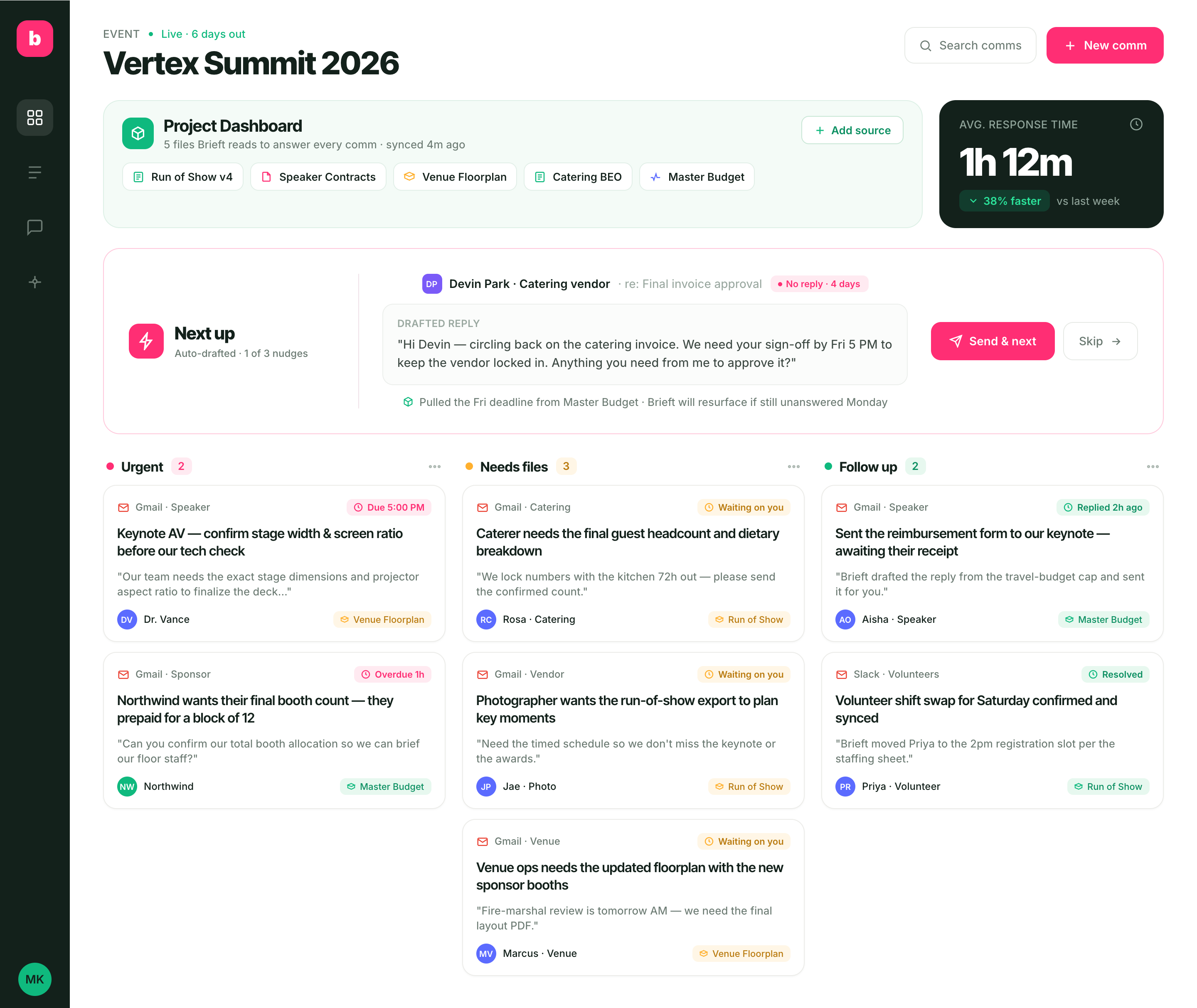
Brieft brings all comms onto one board and drafts the replies for you, then uses those comms to show you exactly where the whole event stands.
Join the early-access list — we'll send your invite. No spam.
of event professionals say their roles are more stressful today than before the pandemic. [skift]
report no change in compensation despite the added workload. [skift]
have experienced physical symptoms of stress, including headaches, insomnia, and burnout. [standout]
report sleeping poorly in the week before an event. [standout]
Every answer exists - just never where the question is.
Speakers need AV specs. Sponsors want their final booth count. Caterers are locking numbers in 72 hours. The answers live in five different files — and the questions are scattered across Gmail, Slack, and your phone. One missed reply and a vendor walks, a speaker's deck breaks, or a sponsor feels ignored.
Questions everywhere
Gmail threads, Slack DMs, WhatsApp pings — no single place to see what's open.
Answers nowhere
The truth lives in a spreadsheet, an email, and a floorplan file. None of them are in the thread.
No room for mistakes
A missed reply costs you a booth, a slot, or a vendor — days before doors open.
One board for every comm.
See every open thread at a glance — urgent, needs files, follow-up. A live Project Dashboard tracks the whole event's progress as comms come in — and keeps Brieft's answers accurate, so your average response time keeps dropping.
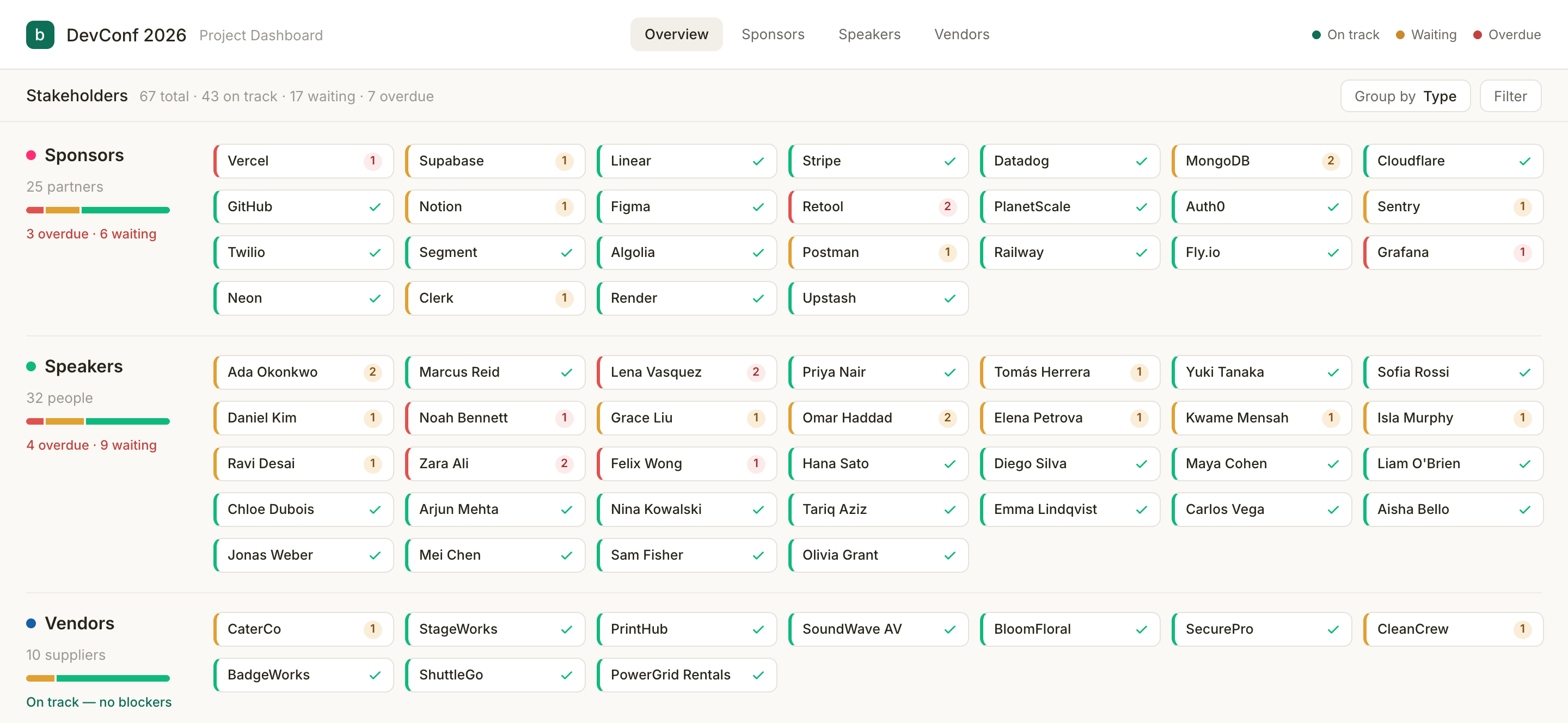
A live map of your whole event.
Every sponsor, speaker, and vendor on one map — and it keeps itself current. As replies land, files come in, and calls happen, Brieft moves each stakeholder forward in real time. No spreadsheets to update, no status columns to drag.
- Real-time — reflects every reply, file, and call the moment it happens
- Zero maintenance — statuses update automatically from your comms, not manual data entry
- Scales with your event — see dozens of stakeholders at a glance, color-coded by status
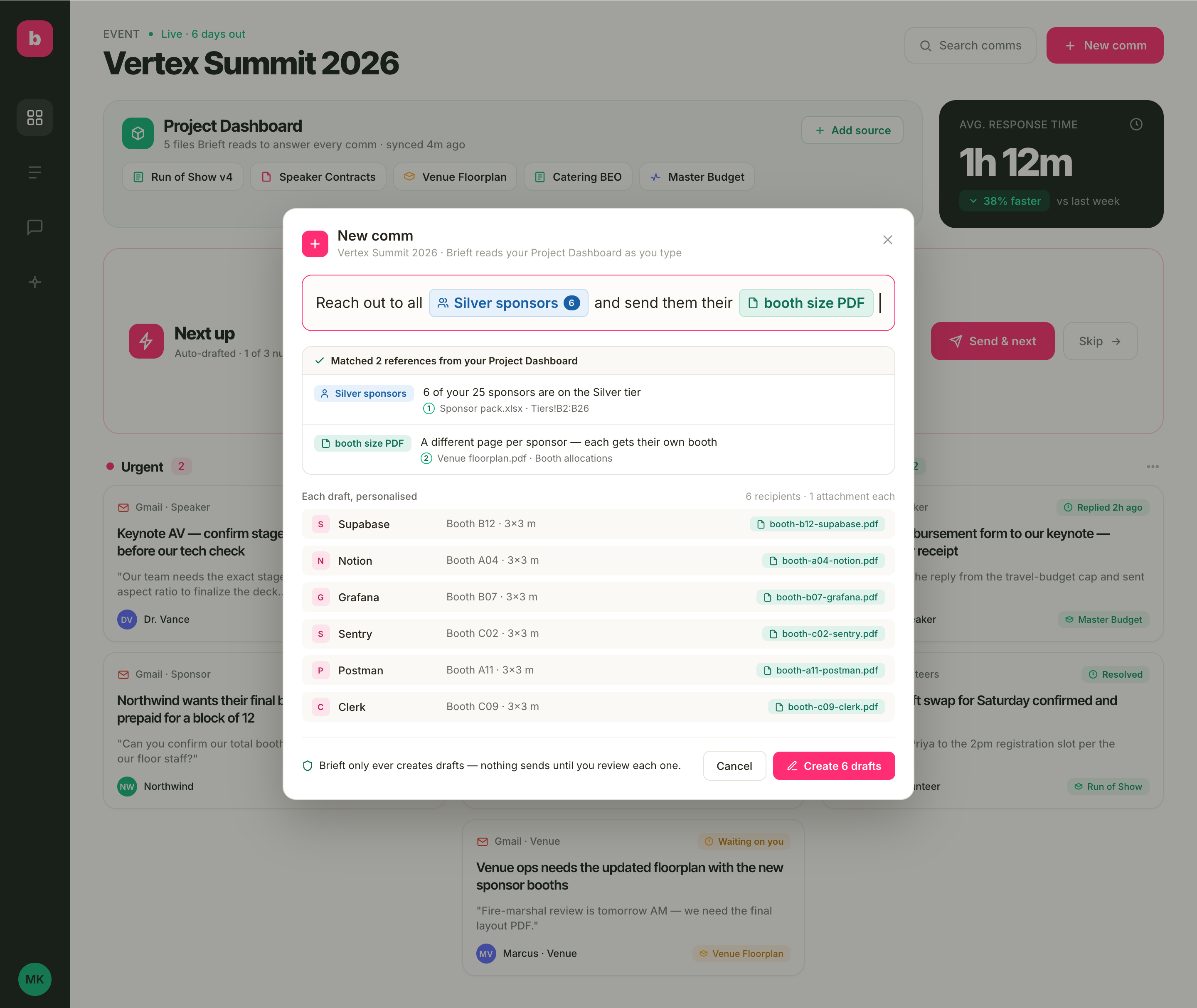
One sentence. Six personalised drafts.
Type what you need in plain English. Brieft recognises the people and files from your Project Dashboard — "Silver sponsors" resolves to the six companies it actually means, and each draft attaches that sponsor's own booth PDF.
- Recognises your stakeholders — groups like 'Silver sponsors' resolve straight from your Project Dashboard
- Personalised per recipient — each draft pulls that stakeholder's own details and files
- Always drafts, never sends — you review every message before it goes out
Answers you can actually trust.
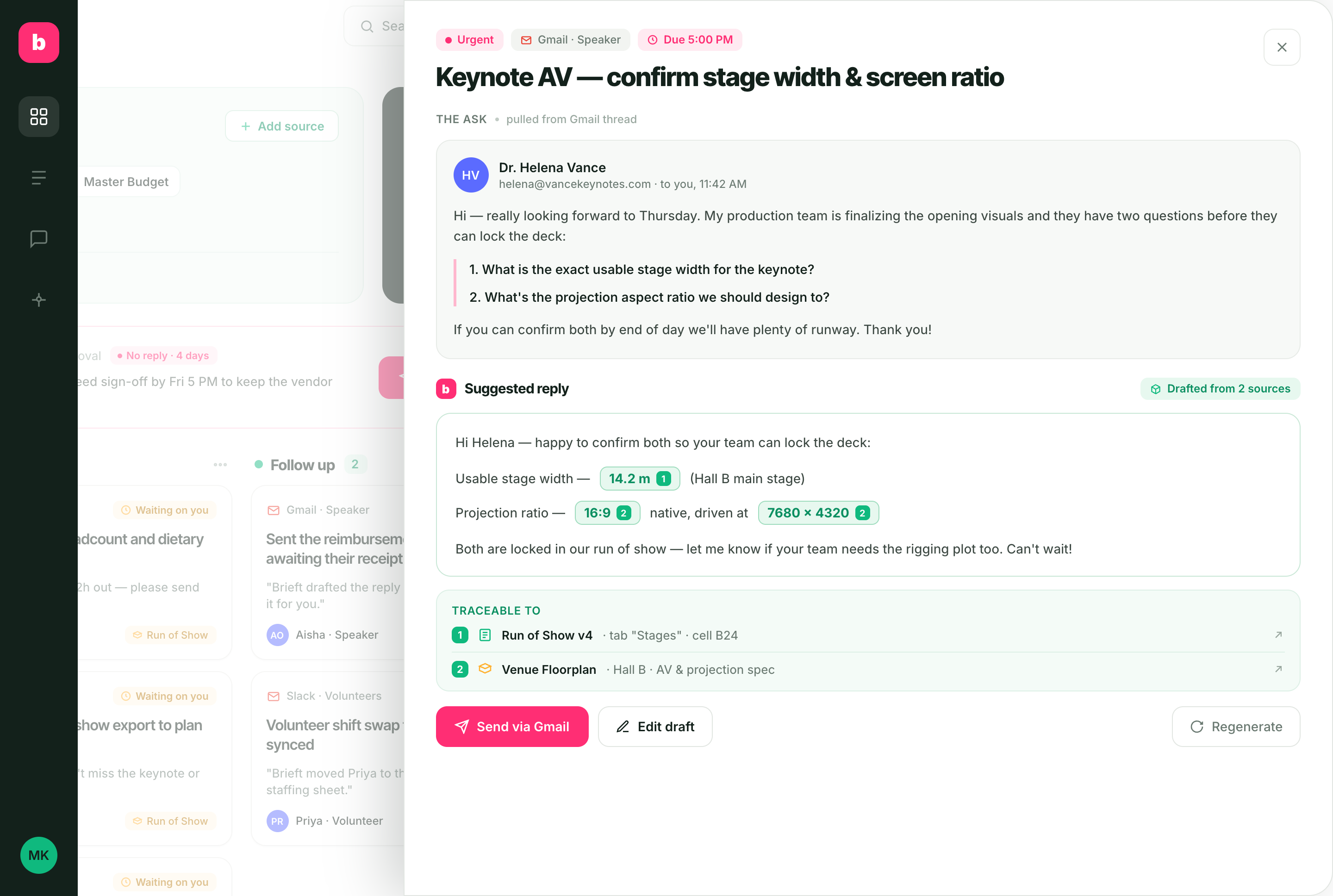
Every auto-drafted reply highlights the data it used — stage width, headcount, booth count — and traces it back to the exact file and cell. No more "let me check and get back to you."
- Highlighted values pulled from your sources
- Cell-level citations to the original file
- You stay the editor — nothing sends on its own
Set up once. Stay on top of everything.
Connect your sources
Point Brieft at your sheets, contracts, floorplan, and budget. They power your live Project Dashboard.
Brieft triages every comm
New messages land on one board, sorted into what's urgent, what needs a file, and what's a quick win.
Reply in one click
Brieft drafts the answer from your real data - every number traceable to its source - and you send it from Slack, Gmail, or the Brieft dashboard.
Reply from wherever you already work.
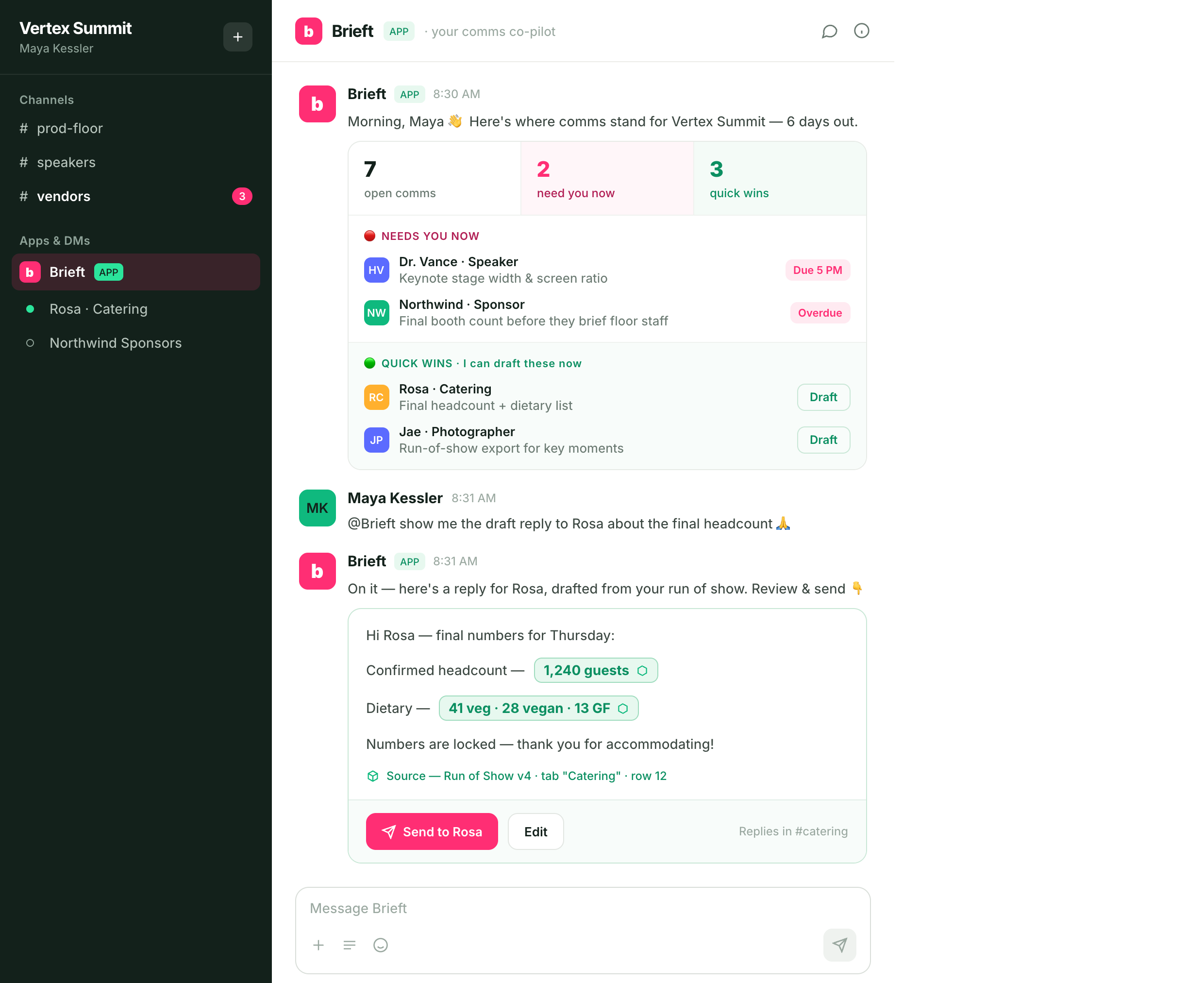
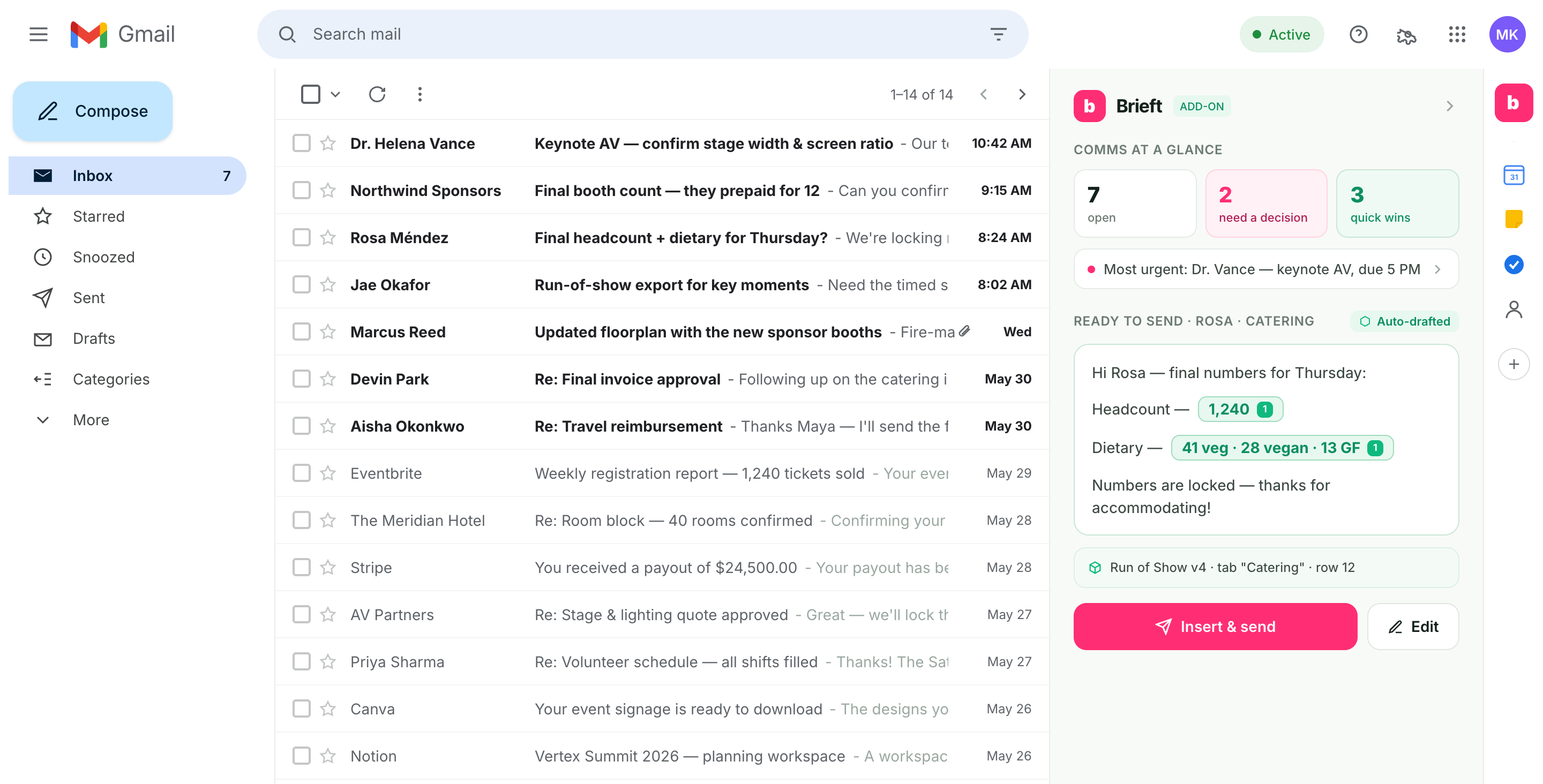
Brieft lives in Slack and right inside your Gmail. Get the at-a-glance picture and send the suggested reply without switching tabs.
In Slack
In Gmail
Get early access to Brieft.
Be first to run your next event without the inbox panic.
We'll send your invite as soon as a spot opens.